
Hide Out-of-Stock Items from Collections and Search
This article shows how to hide/show out of stock items in collections and search
In Sparq, you have the ability to manage the visibility of out-of-stock items in your collections and search results. By enabling a specific option in the general settings, you can ensure that products with no available inventory are hidden from view.
Step 1
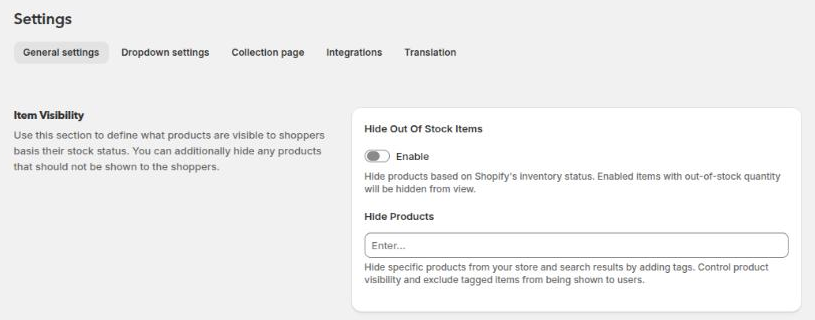
In the Sparq app, go to Settings > General settings.
Step 2
In the Item Visibility section, find "Hide Out Of Stock Items".
Turn on the Enable toggle to hide out-of-stock products from collections and search results, then click Save.
Once you change the setting, the system will scan your catalog again for out-of-stock data. This might take a while depending on your catalog size for your store.